Stop Copy-Pasting from Old Files! Quickly Create New Blog Post Markdown Files with Hygen
- Published on
TL;DR
I added the Hygen code generator to my personal blog, so I can quickly create new post draft .md files with the hygen post new command.
The pain point of blogging: creating a new post
With my blog's current setup, starting a new post takes a lot of steps.
Take the very post you're reading as an example. Creating it required:
- In the /content/posts/en/ folder, pick any post source file (say, 2022-04-07-product-hunt-today.mdx) and make a copy of it.
- Check today's date (2022/04/11) and rename the copy to 2022-04-11-hygen-generate-new-post.mdx.
- Delete everything in the new file except the post meta data at the top (see the example below).
- Change the new post's date to the current time.
- Repeat steps 1–4 in the /content/posts/zh-TW/ folder
- In the /public/images/ folder, create a 2022-04-11-hygen-generate-new-post/ folder to hold the images this post uses.
The basic skeleton of a new .mdx post file:
Copied!---
title: ''
author: Eason Chang
description: ''
category: ''
tags:
  - ''
socialImage: ''
date: 2022-04-11 20:44
template: 'post'
meta:
  title: ''
---
That's tedious and takes real mental effort. As an engineer, I decided to automate these steps!
Adding Hygen: generate the new post template files with one command
In the JavaScript world there's a tool called Hygen, born exactly for this purpose.
Hygen is a simple, easy-to-use code generator you can install via homebrew or npm. After installing, you create a few .ejs template files in your project, and then a single CLI command generates all the template files you want in one go.
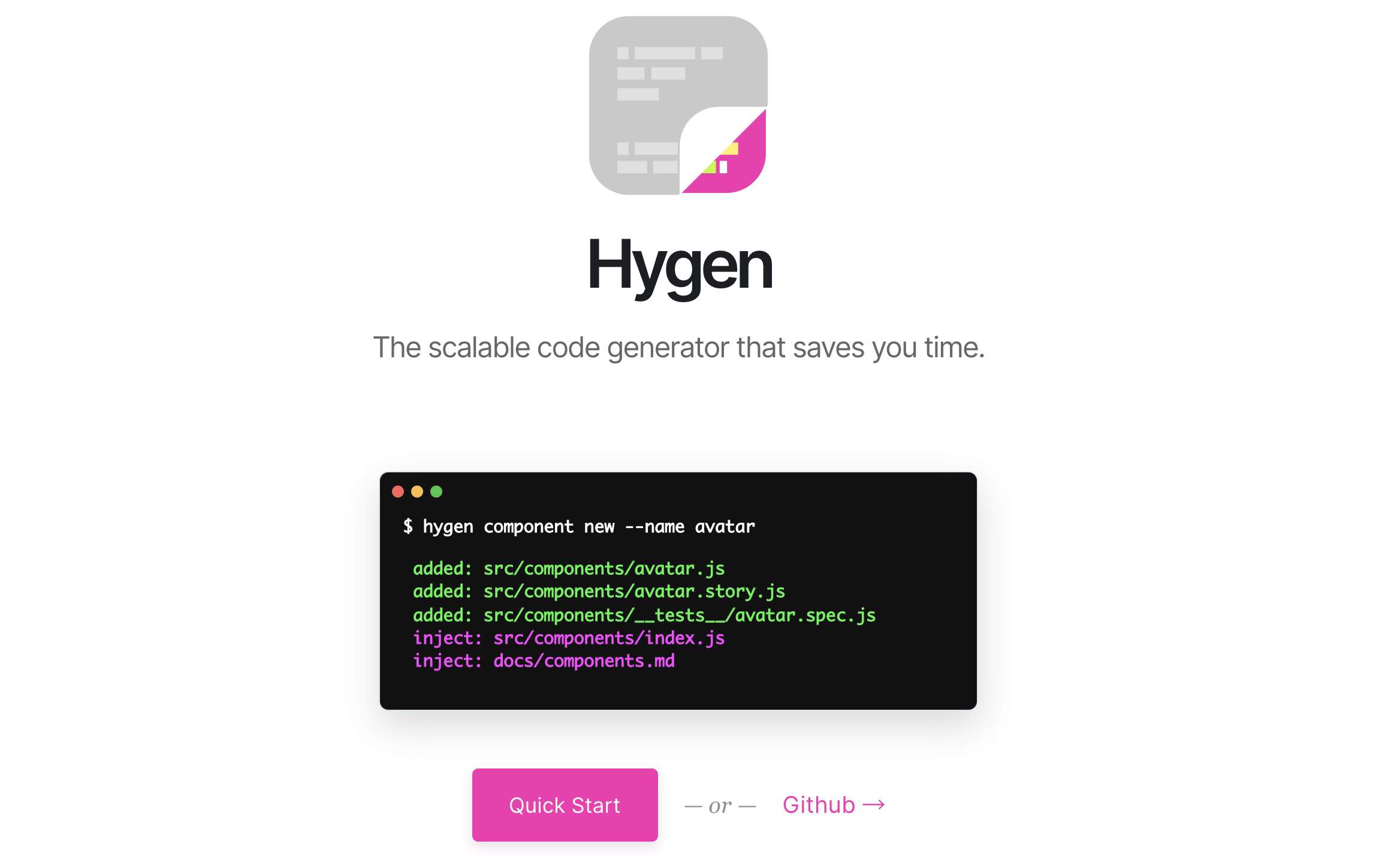
Hygen official site: https://www.hygen.io/
I decided to use Hygen to generate the files for me!
Installing Hygen
I installed hygen into my blog project using yarn:
Copied!yarn add --dev hygen
You can also install it with homebrew or npm — or skip installing entirely and run it on demand with npx. See the official Quick Start page.
My Hygen template structure
I want Hygen to generate 2 .mdx files and 1 folder for me:
- /content/posts/zh-TW/[date]-[slug].mdx
- /content/posts/zh-TW/[date]-[slug].mdx
- /public/images/[date]-[slug]/
As a tree, it looks like this:
Copied!<ProjectRoot>
├── content/
│   └── posts/
│       ├── en/
│       │   └── [date]-[slug].mdx
│       └── zh-TW/
│           └── [date]-[slug].mdx
└── public/
    └── images/
        └── [date]-[slug]/
The way Hygen works, each file you want to create maps to one .ejs.t template file. Templates live under the _templates/ folder by default, and each level of subfolder below it determines how the CLI command will be used later.
I want my command for creating a new post to be hygen post new, so the template files look like this as a tree:
Copied!<ProjectRoot>
└── _templates
    └── post
        └── new
            ├── images-folder.ejs.t
            ├── post-en.ejs.t
            ├── post-zh.ejs.t
            └── prompt.js
That's 3 .ejs.t template files, plus one prompt.js file.
Supporting dynamic parameters in the Hygen CLI with prompt.js
By creating a prompt.js file, we can make Hygen accept dynamic parameters when generating templates.
When I run hygen post new, I want to also enter the post's slug — the unique URL name of the post — which decides the names of the 3 generated files.
So I need to create prompt.js with this content:
prompt.js
Copied!module.exports = [
  {
    type: 'input',
    name: 'slug',
    message: 'Enter slug (ex: "my-post"): ',
  },
]
This defines that the command needs to receive a slug parameter. After I run hygen post new, Hygen asks me to enter the slug:
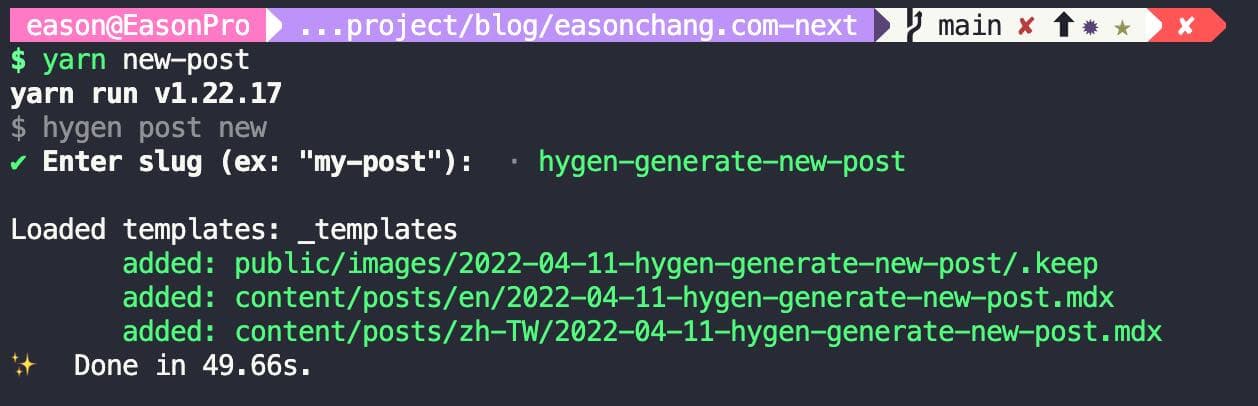
Or I can specify the slug directly in the command, like hygen post new --slug a-brand-new-post.
For more on Hygen prompts, see the official document:
https://www.hygen.io/docs/generators#interactive-prompt
Adding a helper function getDateTime(formatStr) to get the current time
Hygen ships with some built-in string-formatting helper functions for simple string transformations.
For example, to turn the incoming slug parameter into all caps, you can use <%= h.capitalize(slug) %> inside an ejs template file.
Official helper function document
But I need to get the current time and format it in different ways, and Hygen has no built-in function for that. Luckily, Hygen supports customization, so we can extend it with our own helper functions.
The way to do it is to add a .hygen.js file at the project root:
Copied!const { format } = require('date-fns')

module.exports = {
  helpers: {
    getDateTime: function (formatStr) {
      return format(new Date(), formatStr)
    },
  },
}
What this does: I've added a getDateTime(formatStr) helper function that gets the current time and converts it into whatever format we want.
Official document on extending helper functions
The .ejs.t template file contents
Finally, the real main event: the ejs.t template files.
ejs stands for Embedded JavaScript — plain-text templates where you can embed simple JS syntax to inject content dynamically.
Every target file you want to create needs its own corresponding .ejs.t template file. The .ejs.t filename itself can be anything — it doesn't affect the generated file.
First, the 2 target .mdx files, which have identical content:
Copied!---
title: ''
author: Eason Chang
description: ''
category: ''
tags:
  - ''
socialImage: ''
date: 2022-04-11 20:44
template: 'post'
meta:
  title: ''
---
So I created two template files, post-zh.ejs.t and post-en.ejs.t:
post-zh.ejs.t
Copied!---
to: content/posts/zh-TW/<%= h.getDateTime('yyyy-MM-dd') %>-<%= slug %>.mdx
---

---
title: ''
author: Eason Chang
description: ''
category: 'Project'
tags:
  - Project
socialImage: ''
date: <%= h.getDateTime('yyyy-MM-dd HH:mm') %>
template: 'post'
meta:
  title: ''
---
post-en.ejs.t
Copied!---
to: content/posts/en/<%= h.getDateTime('yyyy-MM-dd') %>-<%= slug %>.mdx
---

---
title: ''
author: Eason Chang
description: ''
category: 'Project'
tags:
  - Project
socialImage: ''
date: <%= h.getDateTime('yyyy-MM-dd HH:mm') %>
template: 'post'
meta:
  title: ''
---
Two things to notice here. The first is the dashed block in the file's first three lines:
Copied!---
to: content/posts/en/<%= h.getDateTime('yyyy-MM-dd') %>-<%= slug %>.mdx
---
This block delimited by triple dashes is a format called Frontmatter, used to give Hygen the template's meta data. Here I use to: to tell Hygen where the target file should be created.
The second is the <%= %> syntax — the standard way to embed JS inside ejs. I use it to dynamically inject the slug parameter, and to call the h.getDateTime() we just defined to get the formatted time.
For more, see the Templates doc page on the Hygen site
Last, I still need to create the folder for images.
I want to see this folder in git right away after it's created, so it needs an empty .keep file inside.
So, at the very end, I created the images-folder.ejs.t template to generate the folder and its .keep file:
Copied!---
to: public/images/<%= h.getDateTime('yyyy-MM-dd') %>-<%= slug %>/.keep
---
The result
That's it!
No more spending ages creating new posts! Now I just run hygen post new and Hygen does the work for me, so I can put my time where it matters: producing content!